Compatibility
Minecraft: Java Edition
Platforms
Supported environments


Tags
Creators
Details
🌐 English description available below.

«Без цели. Зато со вкусом.»


Это тщательно несбалансированный сборник визуальных штучек, уютных звуков, улучшений производительности и специальных модов для PepeLand 11. Основан на официальной сборке из ТГ-канала PepeLand с дополнениями по собственному вкусу и здесь есть все распространённые на PepeLand моды.
🐸 Специальные моды и возможности для PepeLand 11
- 🧩 PepeLand Helper
- 🆙 Action Bar Info (тот самый мод с координатами и информацией о сервере со стрима)
- 🏷️ PepeLand Badges (серверные значки из Tab-листа отображаются рядом с никнеймами игроков прямо в мире)
- 🛠️ Pochatok (сборная солянка небольших удобств и приколов для игры и строительства)
... и оформление в духе сервера
- 🌿 Официальный ресурспак PepeLand
- 🐸 Фирменная полоса таймера рестарта PepeLand
- 🎞️ PepeLand Loading Screen (экран загрузки в стиле PepeLand)
- 📕 PepeSPLASH (сплэши на главном экране Minecraft в стиле PepeLand)
- 🏙️ Пять панорам со спавнов Пепеленда 10. По умолчанию в главном меню «Мир торговли». Можно выбрать «Мир построек 1», «Мир построек 2», «Мир ферм» или «Мир ресурсов». Поставьте нужную панораму выше остальных в списке ресурспаков. При смене профиля она сохранится.

Для большой прорисовки используется Bobby (сохраняет чанки локально), а для путешествий есть Xaero’s World Map. Карта, сохранённые чанки и расставленные схемы Litematica общие для всех трёх адресов PepeLand (play.pepeland.net, alt.pepeland.net и alt2.pepeland.net). Если пришлось зайти через запасной адрес, всё будет на своём месте.
Строить помогают Axiom, Litematica с предпросмотром схем и фильтром материалов (меню на M), Freecam и OC Random Block Placement для тех, кто любит класть стены вперемешку из нескольких блоков. Flashback позволяет записать стройку и потом снять её с другого ракурса. Для скриншотов в высоком разрешении есть ReFabrishot.
В сборке есть Simple Voice Chat, e4mc для открытия одиночного мира друзьям и NoFigura для тех, кому тесно в обычном скине. Stendhal помогает редактировать таблички, ImagineBook позволяет вставлять картинки в книги, а LambDynamicLights освещает дорогу, пока вы несёте факел в руке. Из коробки включён русскiй дореформенный. Искать предметы в креативе можно сразу на дореформенном, современном русском и английском одновременно.
За производительность отвечают Sodium, ModernFix, C2ME, Lithium, FerriteCore, ImmediatelyFast и компания. Iris запускает шейдеры, а всё необходимое для сложных ресурспаков уже добавлено и настроено.

Когда вы летите над миром, новые чанки плавно поднимаются снизу и постепенно проявляются. Эффект можно отключить в настройках Chunks Fade In.

На стекле остаются капли дождя, следы снега и дыхания, с деревьев падают листья, а за лодкой тянется след на воде. У взрывов тоже своя анимация. Sound Physics Remastered добавляет эхо в пещерах, а небольшие звуковые моды отвечают за плеск воды, капли и пузырьки. В сборку уже входят BSL, Complementary Reimagined, Kappa, Solas и шейдеры Sildur’s.
Чат хранит больше сообщений. Новые появляются с анимацией, а старую переписку можно плавно листать колёсиком. Прямо в инвентаре можно рассмотреть карту, заглянуть в мешочек или шалкер и рассортировать вещи. В меню есть свои курсоры и частицы. Blur+ размывает фон открытых меню, а Smooth Loading Screen при возвращении в мир показывает панораму места, где вы вышли.
🎵 Яндекс Музыку можно слушать прямо в Minecraft. Нажмите F8, чтобы открыть плеер Overtone. Если у песни есть синхронизированный текст, её строки по умолчанию появляются прямо в мире. Можно включить и музыку со своего компьютера.
Менеджер Packed Packs добавляет поиск, папки, перетаскивание ресурспаков, а мы предлагаем ещё и 18 готовых профилей. С одним знакомая деревня выглядит как в обычном Minecraft, с другим вас там встречают аксолотли. Каждый профиль включает сразу несколько ресурспаков, которые мы подобрали друг к другу.
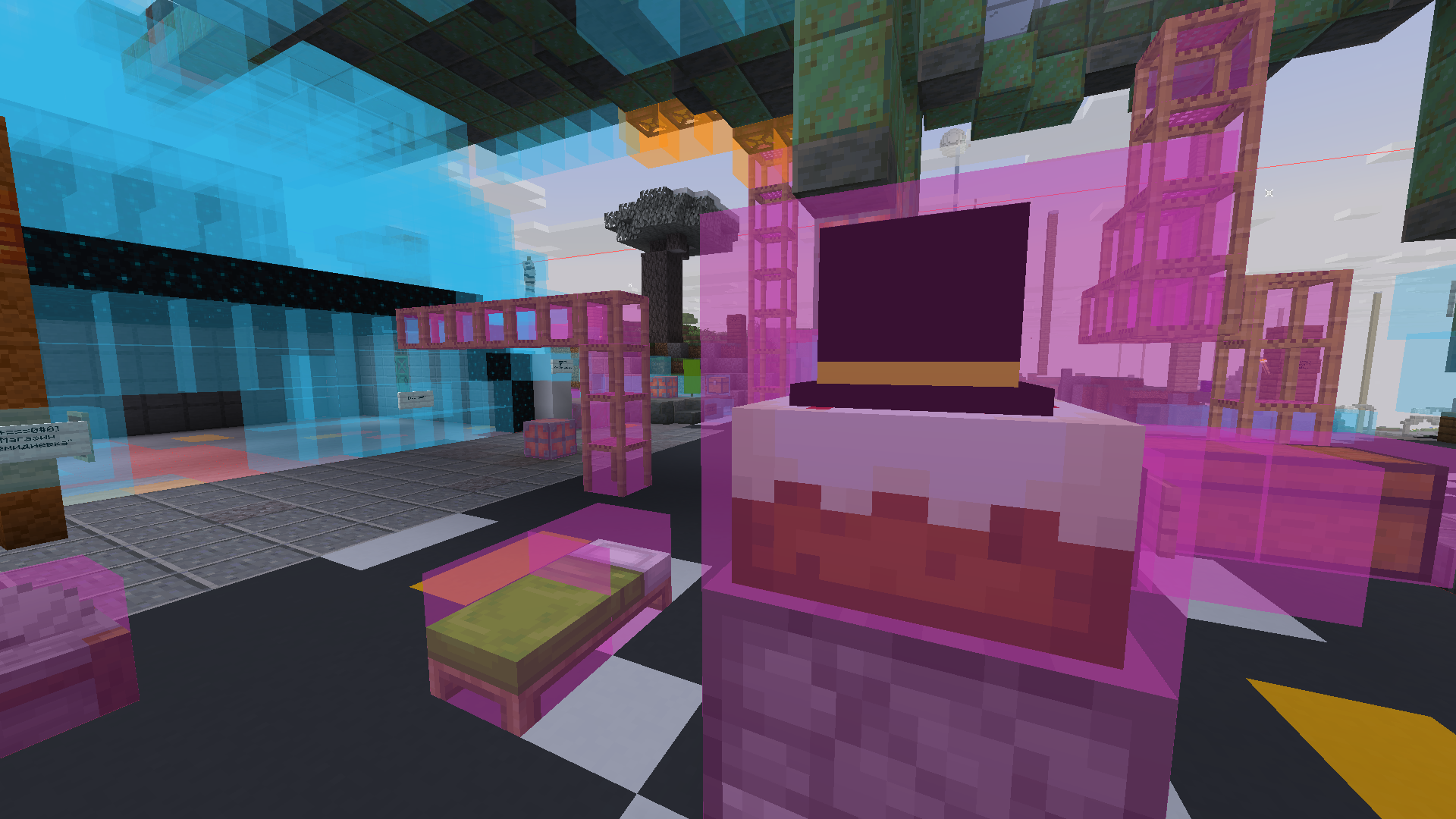
Начните с «Фирменного конфига». В нём у сундуков деревянные крышки из Immersive Interfaces, на бочке сидит Pop Cat, а вместо прицела крутится помидор. При открытии бочка издаёт «поп», а за достижения играет тот самый звук из Стима. Криперы похожи на котов, сами коты потолстели и мяукают на манер Nyaaaa. Еде достались шляпы Пугода, у лягушек и бризов тоже есть головные уборы, а пиглинам в Незере достался целый аниме-ресурспак.
Есть и вещи попрактичнее. Зачарованные книги можно различать по обложкам, здоровье мобов видно прямо на их моделях, а в огороде по стеблю понятно, где посажена тыква, а где арбуз. У боссов свои полосы здоровья, у еды и движений игроков есть анимации, некоторые детали текстур светятся в темноте, а снег плотнее укрывает землю.
Хотите тех же котов и звуки, но с привычными окнами Minecraft? Выберите «PPLP: Классический интерфейс». В нём ещё и пронумерованы ячейки хотбара. За коричнево-зелёным инвентарём загляните в «PPLP: Ночное кафе», за викторианскими текстурами в «Стимпанк». Есть также SummitMC, варианты с иконками и «Ближе к ваниле». В общую основу входит Redstone Tweaks. С ним, например, прямо по текстуре видно, когда воронка заблокирована.

А в «PPLP: Ножи из CS» можно взять железный меч и увидеть в руке нож из Counter-Strike. Удары тоже звучат по-другому. Рядом в «PPLP: Полный дурдом» по деревне бегают тараканы, от смерти спасает карта UNO, а алмаз зовётся «Злмаа». Это SlovoMess добрался до названий предметов.

Чтобы всё это примерить, откройте «Настройки» → «Наборы ресурсов…» и нажмите кнопку с тремя полосками вверху слева. Выберите вариант в «Сохранённых профилях», закройте список крестиком и нажмите «Готово». При первом запуске уже выбран «Фирменный конфиг» с пометкой «Рекомендуется». Если подстроите готовый профиль под себя, при следующем запуске рядом с исходным появится ваша личная версия.
Из других вещей разной степени необходимости есть TetrisMC, PatPat и OrthoCamera для особенно убедительного изометрического Minecraft (настройки камеры на F10). А когда кто-нибудь говорит в голосовой чат, у него увеличивается голова.
Предложения по добавлению новых штуковин принимаются в лс в дискорде (@krutosh2). Не стесняйтесь адаптировать сборку под себя.
Установка и обновление
В Prism Launcher нажмите «Добавить экземпляр», выберите Modrinth, найдите Pompous PepeLand Playground и нажмите «ОК».
Когда выйдет новая версия, в главном меню появится уведомление. Чтобы обновиться, выберите свой экземпляр в Prism, откройте «Изменить» → Modrinth и нажмите «Обновить». Сборка подхватит новые стандартные настройки и сохранит ваши назначения клавиш, список серверов и другие личные настройки.
Послесловие и благодарности
Если вы ищете серьёзный и действительно комфортный модпак, советую посмотреть работы Xleb. При создании этого чудовища мы подсмотрели несколько модов в его модпаке и взяли его загрузочный экран. Спасибо авторам всех модов, ресурспаков и шейдерпаков, которые вошли в сборку. Ссылки на них есть в зависимостях версии.
English
“Exquisitely pointless, because sometimes, that’s the point.”
This is a carefully unbalanced collection of visual tweaks, cozy sounds, performance improvements, and special mods for PepeLand 11. It’s based on the official modpack from the PepeLand Telegram channel, with a few additions of our own, and includes all the mods people commonly use on PepeLand.
🐸 Special mods and features for PepeLand 11
- 🧩 PepeLand Helper
- 🆙 Action Bar Info (the mod that shows coordinates and server info from the stream)
- 🏷️ PepeLand Badges (displays the server badges from the Tab list next to players’ names in the world)
- 🛠️ Pochatok (a grab bag of small conveniences and oddities for playing and building)
... and a few touches in the server’s style
- 🌿 The official PepeLand resource pack
- 🐸 A custom PepeLand restart timer bar
- 🎞️ PepeLand Loading Screen (a PepeLand-themed loading screen)
- 📕 PepeSPLASH (PepeLand-themed splash text on the Minecraft main menu)
- 🏙️ Five panoramas from the PepeLand 10 spawn areas. The main menu defaults to “Мир торговли” (Trading World). You can choose “Мир построек 1”, “Мир построек 2”, “Мир ферм”, or “Мир ресурсов”. Move your chosen panorama above the others in the resource pack list. It stays selected when you switch profiles.
Bobby extends your render distance by caching chunks locally, and Xaero’s World Map helps you get around. All three PepeLand addresses (play.pepeland.net, alt.pepeland.net and alt2.pepeland.net) share the same map, cached chunks, and Litematica schematic placements. If you have to connect through a backup address, everything will be where you left it.
For building, there’s Axiom, Litematica with its schematic previews and material filter (M opens its menu), Freecam, and OC Random Block Placement if you like mixing several block types in a wall. With Flashback, you can record a build and film it again from a different angle. Use ReFabrishot for high-resolution screenshots.
The pack includes Simple Voice Chat, e4mc for opening a singleplayer world to friends, and NoFigura for anyone who wants to go beyond a regular skin. Stendhal makes signs easier to edit, ImagineBook lets you put pictures in books, and LambDynamicLights lights the way while you hold a torch. Pre-reform Russian is enabled out of the box. Creative inventory search works in pre-reform Russian, modern Russian, and English at the same time.
Sodium, ModernFix, C2ME, Lithium, FerriteCore, ImmediatelyFast, and friends handle performance. Iris runs shaders, and everything advanced resource packs need is already included and configured.
As you fly over the world, new chunks rise gently from below and fade into view. You can turn this off in the Chunks Fade In settings.
Rain, snow and condensation leave traces on glass, leaves fall from trees, and boats leave wakes behind them. Explosions have their own animation, too. Sound Physics Remastered adds echoes in caves, while smaller sound mods add splashes, drips, and bubbles. The pack comes with BSL, Complementary Reimagined, Kappa, Solas, and Sildur’s shaders.
Chat keeps more history. New messages slide into view, and you can scroll smoothly through older ones with the mouse wheel. Right in your inventory, you can preview a map, peek inside a bundle or shulker box, and sort your items. Menus have custom cursors and particle effects. Blur+ blurs the background behind open menus, and when you return to a world, Smooth Loading Screen shows a panorama of the place where you left.
🎵 Listen to Yandex Music right in Minecraft. Press F8 to open the Overtone player. If a track has synced lyrics, the lines appear right in the world by default. You can also play music from your computer.
Packed Packs adds search, folders, and drag-and-drop for resource packs. We’ve also included 18 ready-made profiles. In one profile, a familiar village looks just like regular Minecraft. In another, axolotls greet you there. Each profile activates several resource packs we picked to go together.
Start with “Фирменный конфиг” (our signature profile). Chests get wooden lids from Immersive Interfaces, Pop Cat sits on the barrel, and a spinning tomato takes the place of your crosshair. The barrel pops when you open it, and advancements play that familiar Steam sound. Creepers look like cats, cats are chubbier and meow like Nyaaaa, food wears PWGood’s hats, frogs and breezes get headwear too, and piglins in the Nether get a whole anime resource pack of their own.
There’s some practical stuff too. Enchanted books have distinct covers, mobs show their health on their models, and out in the garden you can tell pumpkin and melon plants apart by their stems. Bosses get their own health bars, eating and player movements are animated, some textures have details that glow in the dark, and snow covers the ground more completely.
Want the same cats and sounds with the familiar Minecraft screens? Choose “PPLP: Классический интерфейс” (Classic Interface). It also numbers your hotbar slots. For a brown-and-green inventory, try “PPLP: Ночное кафе” (Night Cafe). For Victorian textures, try “Стимпанк” (Steampunk). There are also SummitMC, variants with icons, and “Ближе к ваниле” (Closer to Vanilla). Redstone Tweaks is part of the shared base. Its textures let you spot a locked hopper at a glance, for example.
In “PPLP: Ножи из CS” (CS Knives), pick up an iron sword and you’ll see a Counter-Strike knife in your hand. Hits sound different too. In “PPLP: Полный дурдом” (Total Chaos), cockroaches run around the village, an UNO card saves you from death, and the Russian word for diamond is “Злмаа”. SlovoMess got its hands on the item names.
To try a profile, open Options → Resource Packs… and click the three-line button in the top left. Pick an option under Saved Profiles, close the list with the X, and click Done. The signature profile is selected on first launch and marked as recommended. If you customise a built-in profile, your personal version will appear alongside the original the next time you launch the game.
Other additions of varying necessity include TetrisMC, PatPat, and OrthoCamera for an especially convincing isometric Minecraft (F10 opens the camera settings). And when someone talks in voice chat, their head gets bigger.
Suggestions for new stuff are welcome by Discord DM (@krutosh2). Feel free to make the pack your own.
Installation and updates
In Prism Launcher, click Add Instance, select Modrinth, search for Pompous PepeLand Playground, and click OK.
When a new version comes out, you’ll see a notification in the main menu. To update, select your instance in Prism, open Edit → Modrinth, and click Update. The pack picks up the new defaults and keeps your keybinds, server list, and other personal settings.
Afterword and thanks
If you’re looking for a serious, genuinely comfortable modpack, take a look at Xleb’s work. While putting this monster together, we found a few mods in his modpack and used his loading screen. Thanks to the authors of every mod, resource pack, and shader pack included here. You can find their links in the release’s dependencies.
Build whatever this is.